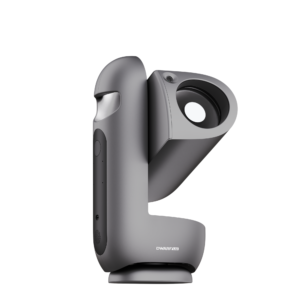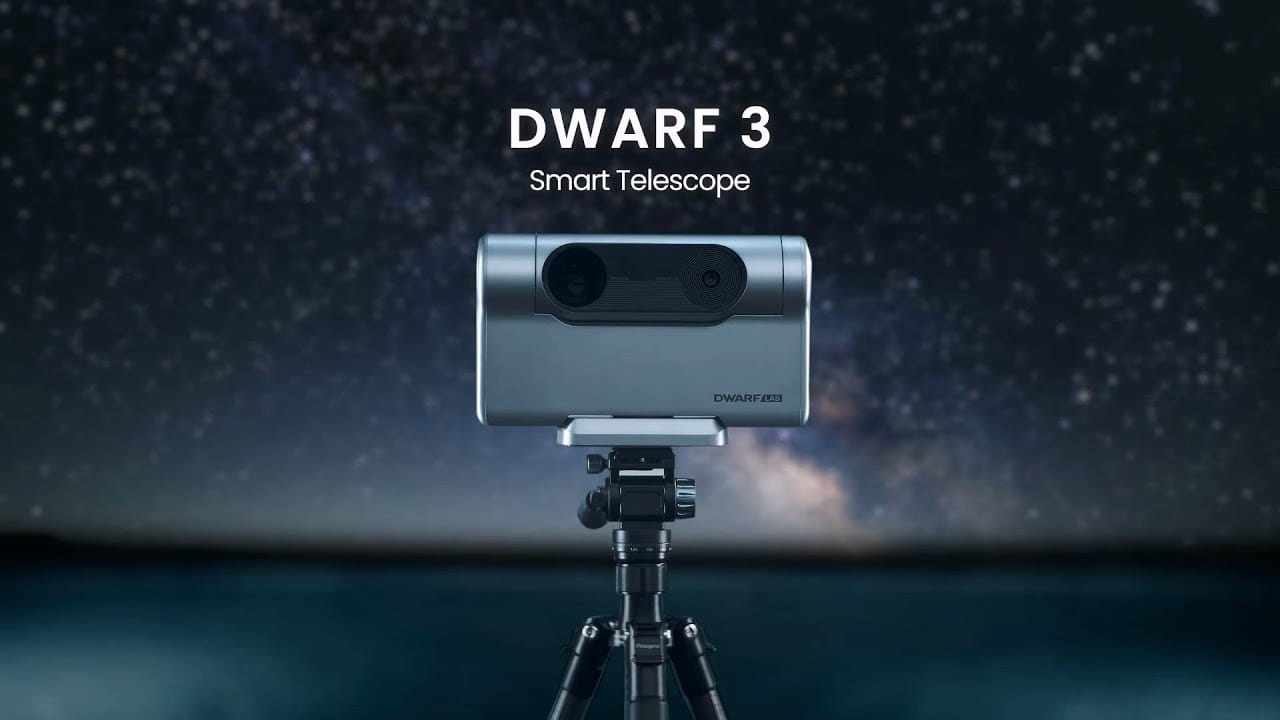
Update October 2026: The DWARF 3 is no longer being manufactured and is no longer available from us. If you already have one, these tips still apply. If you are still looking for a compact DWARF, check out the DWARF Mini; Many of these tips work just as well there.
Want to get the most out of your DWARF 3? With this dwarf 3 tips you will discover how to use your smart telescope smarter, record more steadily and take even sharper astrophotos. In this comprehensive guide, we explain everything step-by-step so you get better results right away.
Start with a perfect setup
One of the most important dwarf 3 tips is to always provide a stable base. Use a sturdy tripod and keep it as low to the ground as possible. By lowering the tripod, you significantly reduce the impact of wind and vibration. In addition, set one leg of the tripod exactly facing north so that the DWARF 3 is extra sturdy during longer shots. This simple but effective setting prevents skewed images when using equatorial mode.
Take advantage of Equatorial Mode
One of the unique advantages of the DWARF 3 is its internal equatorial tracking. This feature automatically compensates for the earth's rotation so that stars and deep-sky objects remain in focus during long exposures.
This is how you set it up correctly:
- Open the DWARF app, go to Astro mode and select ‘EQ Mode.
- Make sure your DWARF 3 is pointing north and tilt it according to your latitude (for example, 52° for the Netherlands).
- Follow the automatic three-point polar alignment. The DWARF 3 scans the starry sky by itself and gives clues if you need to correct the alignment.
- Make minor adjustments until the deviation is less than 5° for optimal tracking.
With good polar alignment, you can make exposures of 30 to even 60 seconds without noticeable star trails.
Protect your telescope from wind
Even though the DWARF 3 seems compact and robust, wind can seriously disrupt your photos. A smart tip is to shoot from a sheltered spot, such as a balcony, behind a wall or even under a low object (think a wall or fence).
By minimizing wind loads, you avoid micro-vibrations that would otherwise cause subtle blurring in your star images.
Use the internal Dual Band Filter smartly
The DWARF 3 has a built-in dual band filter that helps tremendously especially when recording nebulae. This filter allows only specific wavelengths to pass through, greatly suppressing light pollution.
When to apply:
- Use the dual band filter on nebulae (such as the Veil Nebula or the Orion Nebula).
- Turn on Astro mode and activate the internal filter when choosing your settings.
- Combine the use of the filter with long exposure times (30-60 seconds) for maximum effect.
Even under light-polluted urban conditions, you can get beautiful deep-sky shots with these settings.
Make use of existing Dark Frames
Another important dwarf 3 tip is to use existing dark frames. Dark frames correct noise and hot pixels in your astrophotos, especially at longer exposures. The DWARF 3 has default dark frames loaded at about 30°C, but you can also create new dark frames yourself if your sensor gets warmer.
Here's how to use them:
- Go to the Dark Frame feature in the app.
- Select a dark frame that matches your gain and exposure time.
- Whenever possible, use dark frames that are close in temperature to the actual sensor value.
Recording your own dark frames at the right temperature greatly improves your final image quality.
Use correct exposure and gain settings
To get the best results, you need to choose the right combination of exposure time and gain:
- When using equatorial mode: choose 30-60 seconds exposure time and gain 60-80.
- Avoid unnecessarily high gain settings (above 120), as this increases noise without much gain in detail.
- Adjust your settings depending on the brightness of the target object and the amount of light pollution.
A properly adjusted telescope not only produces sharper, but also more colorful and contrasty images.
Consider stacking raw frames
The DWARF 3 can self-assemble photos, but even better results can be achieved by self-assembling the raw frames on your computer.
Brief explanation:
- Connect the DWARF 3 to your computer with a USB-C cable.
- Copy the FITS files from the ‘Astro’ folder.
- Use software such as PixInsight or DeepSkyStacker to manually combine the frames.
- Self-stacking allows you to apply techniques such as ‘drizzling,’ which significantly improves your resolution and detail.
Self-stacking requires some extra effort, but yields visibly sharper and cleaner images.
Summary
With this smart dwarf 3 tips you can take your astrophotography to the next level. By ensuring a stable base, making smart use of equatorial mode, utilizing the internal dual band filter and applying dark frames, you will get the most out of this impressive compact telescope.
Do you want to experience for yourself how easy and powerful astrophotography can be? The DWARF 3 is no longer available, but the compact DWARF Mini smart telescope Well, you can read about how the DWARF 3 compares to other models in DWARF 3 vs Seestar S30 Pro, Seestar S50 Pro vs DWARF 3 or DWARF 3 vs DWARF Mini.
Keep discovering, keep learning and above all: keep looking upwards.